Smart TV & Streaming Setup
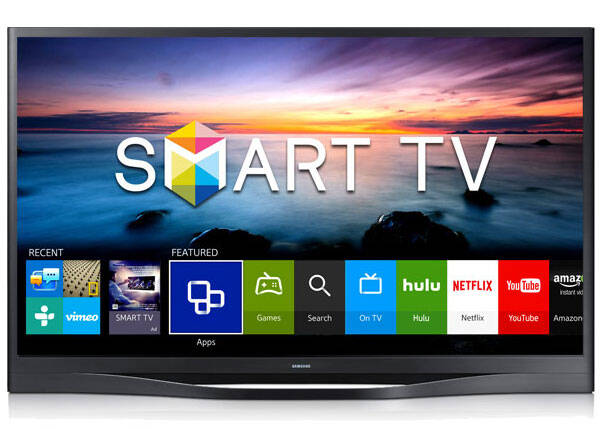
Whether you just bought a new TV or your streaming apps aren’t working right, we set everything up so your entertainment system works the way it should. From connecting your TV to Wi-Fi to organizing your apps and setting up your remotes, we make the entire experience simple and frustration-free.
Streaming shouldn’t be complicated—we make it easy.
What We Set Up
• Smart TVs (Samsung, LG, Sony, Vizio, TCL, Roku TV)
• Streaming devices (Roku, Fire TV, Apple TV, Chromecast)
• Streaming apps (Netflix, Amazon Prime, YouTube TV, Hulu, Max, etc.)
• Soundbars and audio systems
• Wi-Fi connection for TV and streaming boxes
• App downloads, updates, and sign-in setup
• Picture and sound settings
• Parental controls and restricted profiles
Common Streaming Issues We Fix
-
Buffering or freezing video
-
Apps not loading or crashing
-
Wrong inputs or “no signal” messages
-
Remotes not working
-
Problems logging into streaming accounts
-
Audio not working with soundbars
-
TV won’t connect to Wi-Fi
-
Screens too dark, bright, or blurry
-
Channels or apps missing
What We Do During Your TV Appointment
-
Connect your smart TV or streaming device to your home Wi-Fi.
-
Install and update all your streaming apps.
-
Log you into your services (Netflix, Hulu, YouTube TV, etc.).
-
Set up your remotes, including universal or voice remotes.
-
Optimize picture and audio settings for your room.
-
Organize your home screen so apps are easy to find.
-
Fix any streaming issues, buffering, or login problems.
-
Show you how everything works using simple, easy-to-follow steps.
Service Area
We provide in-home TV setup and streaming support across Denver, Englewood, Littleton, Lakewood, Aurora, and nearby communities. Not sure if you’re in range? Call or text us and we’ll let you know.
Want your smart TV and streaming apps set up the right way?